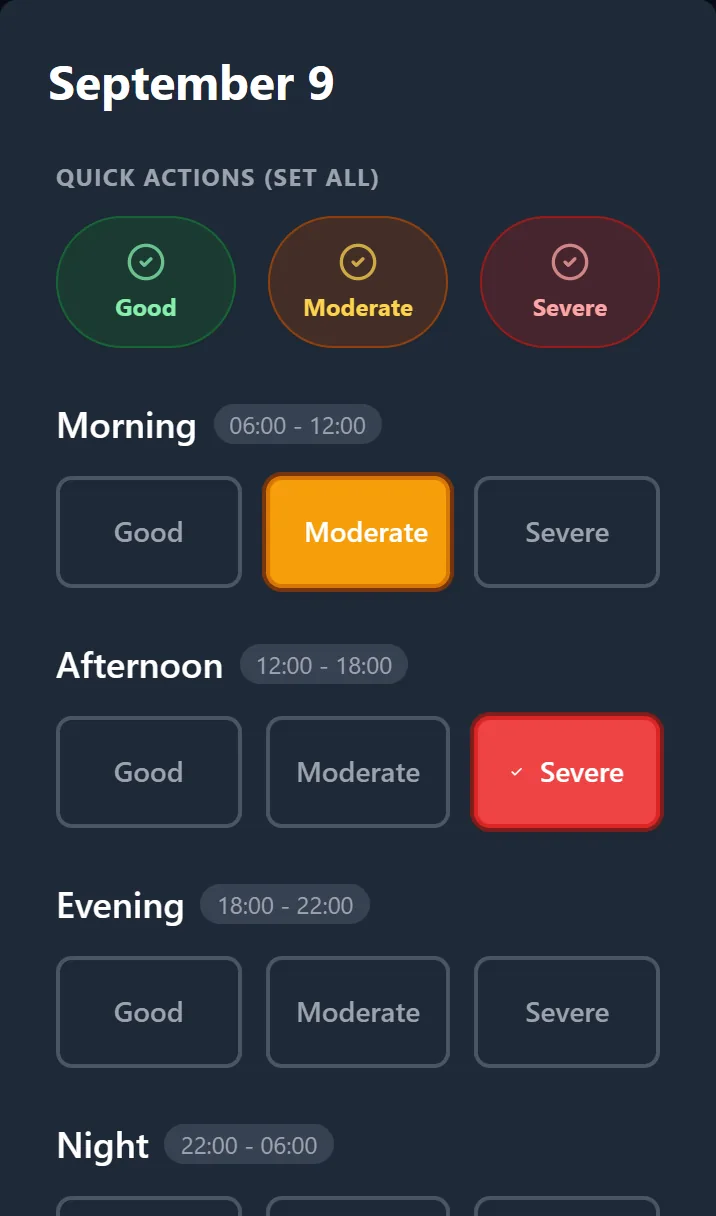
The Tracker Your Doctor Will Love.
Track pain, medications and low-mood days in seconds, then see whether your treatment is working.Free on the web, and installable on your phone. iOS and Android apps coming soon.
Tap 'Try Demo Mode (No Login)' on the login screen. No sign-up: a sample diary loads instantly.
Privacy Focused
Your data is securely stored in Google's Firebase, with no ads or trackers. The app keeps working offline and syncs when you're back online.
Is the treatment working?
Your diary turns into the answers your doctor will ask for.
Stats & Trends
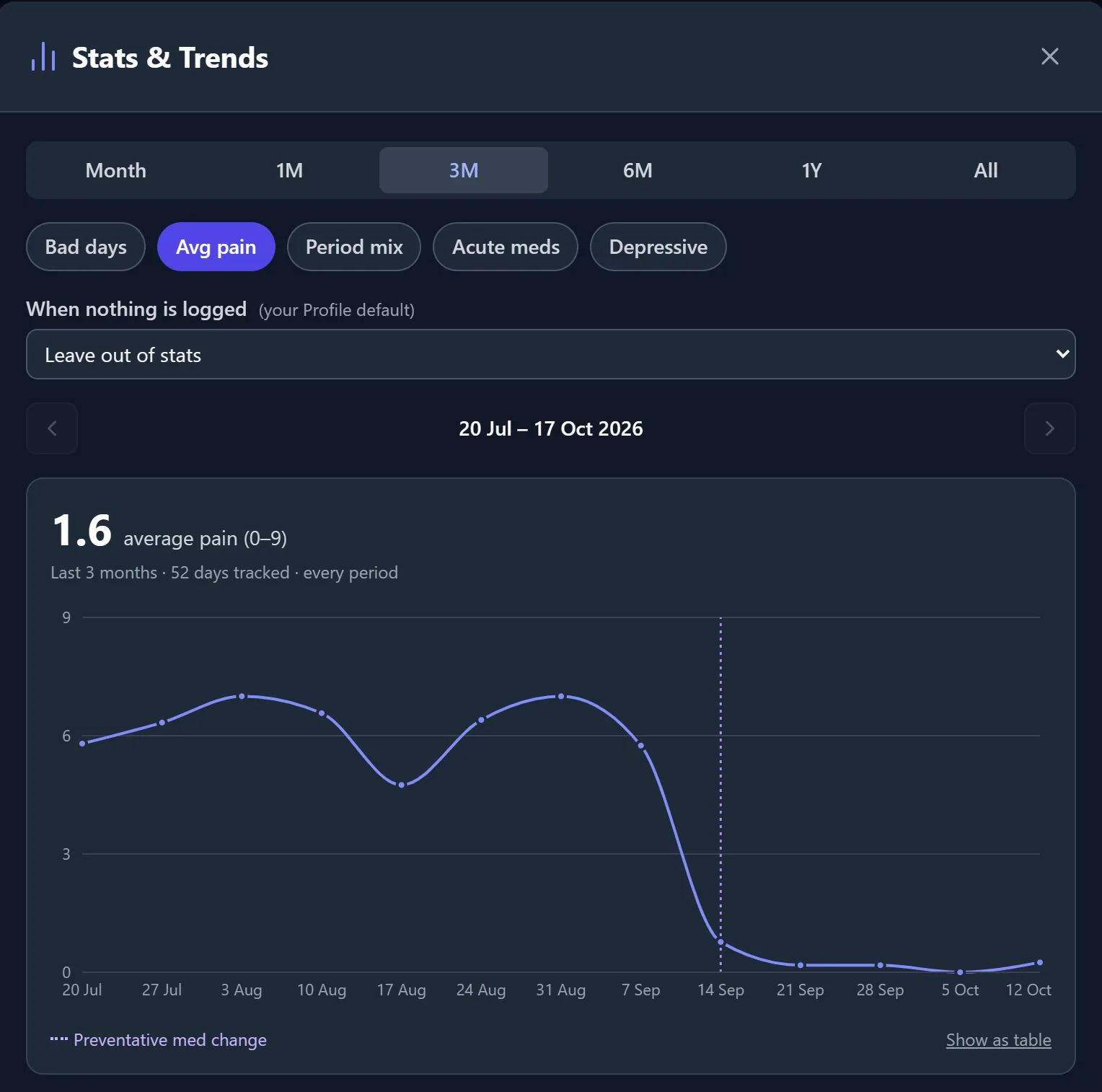
Chart bad days, average pain, the mix of Good, Moderate and Severe periods, acute medication days and depressive days, and see which time of day attacks are most likely.
- A dotted line marks the day a preventative was started, changed or stopped, so you can see whether it helped.
- Free: this month, the last 30 days and the last 3 months.
- Premium: 6 months, 1 year, all time, earlier periods and the medication markers.
A report built for appointments Premium
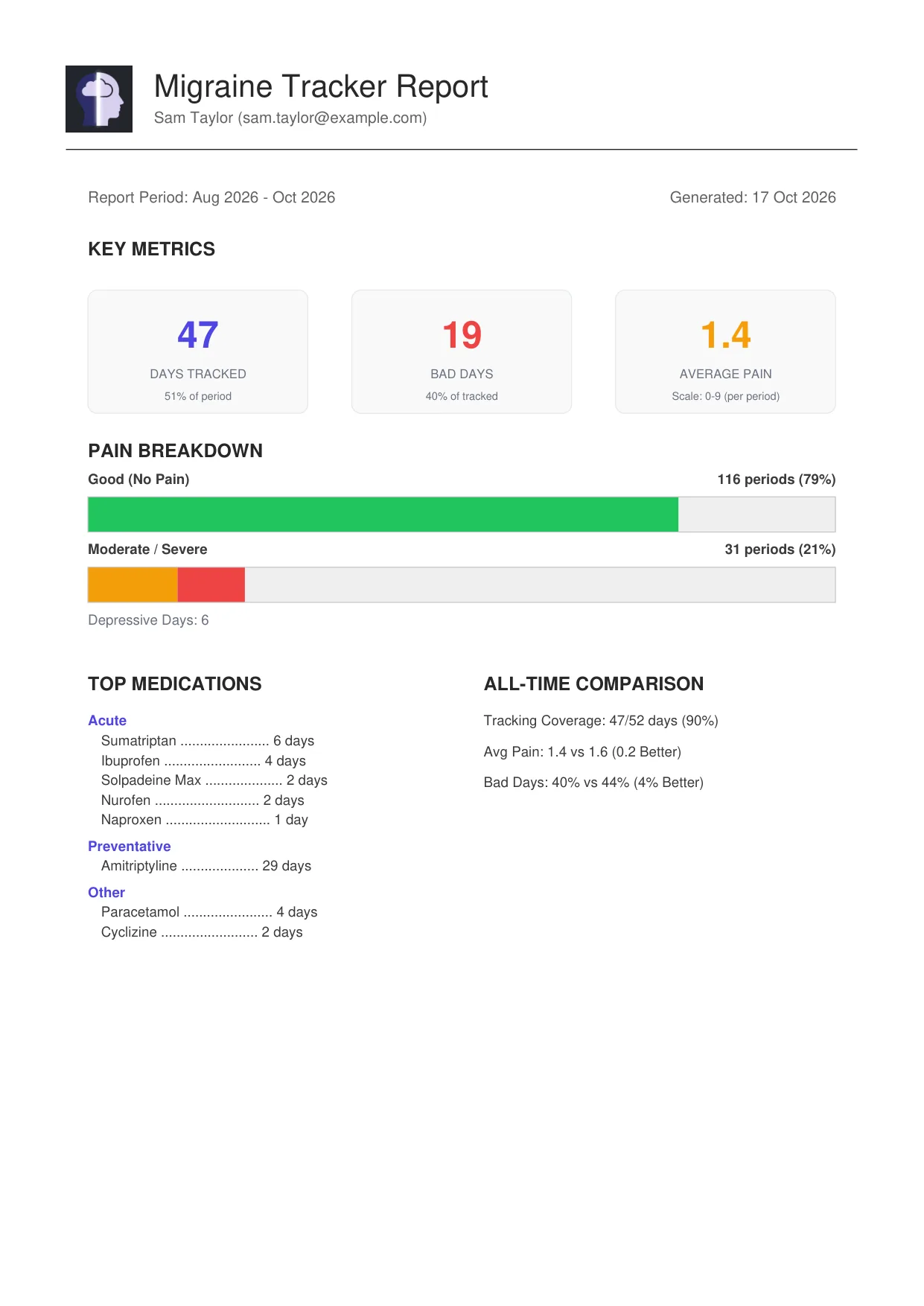
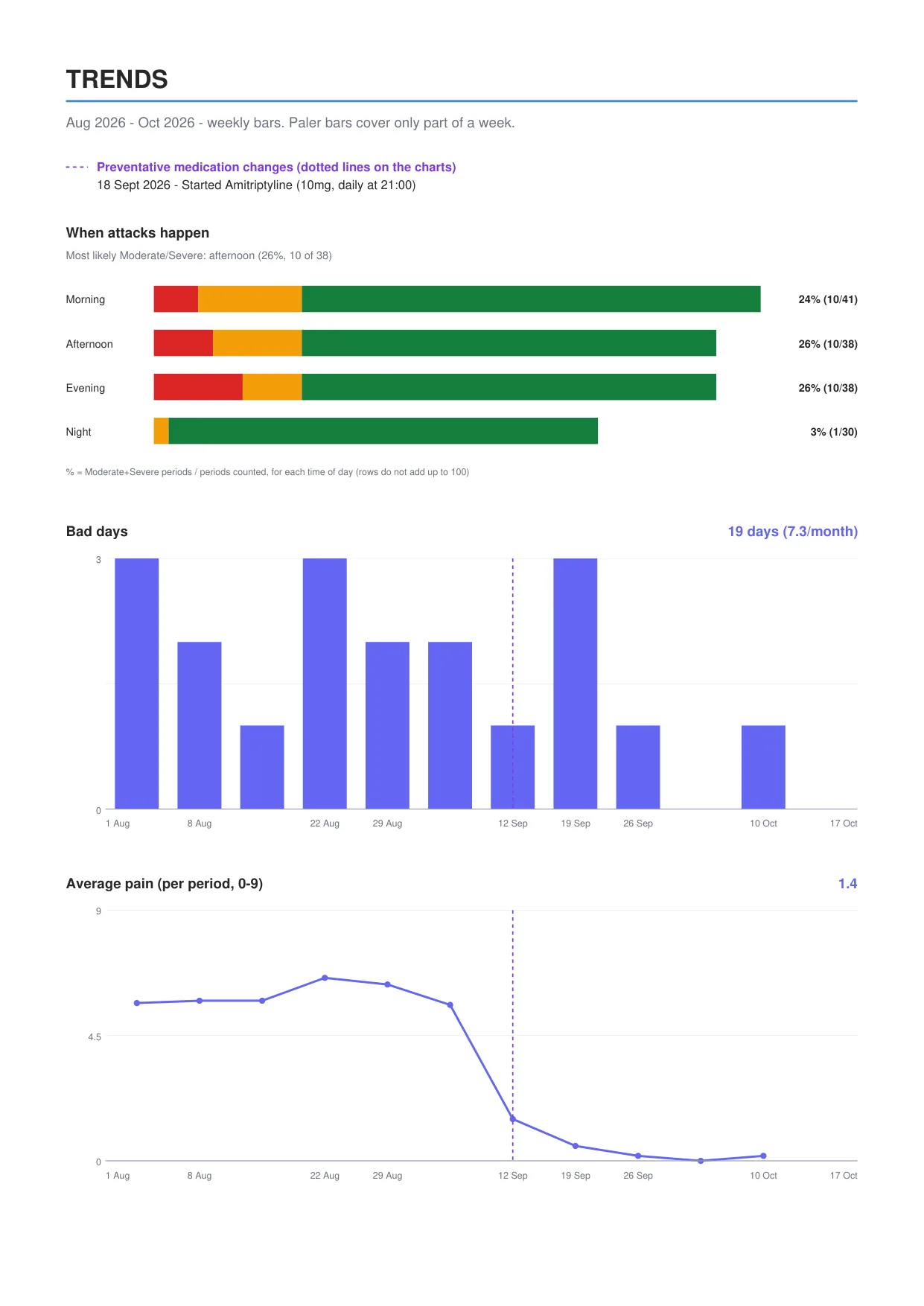
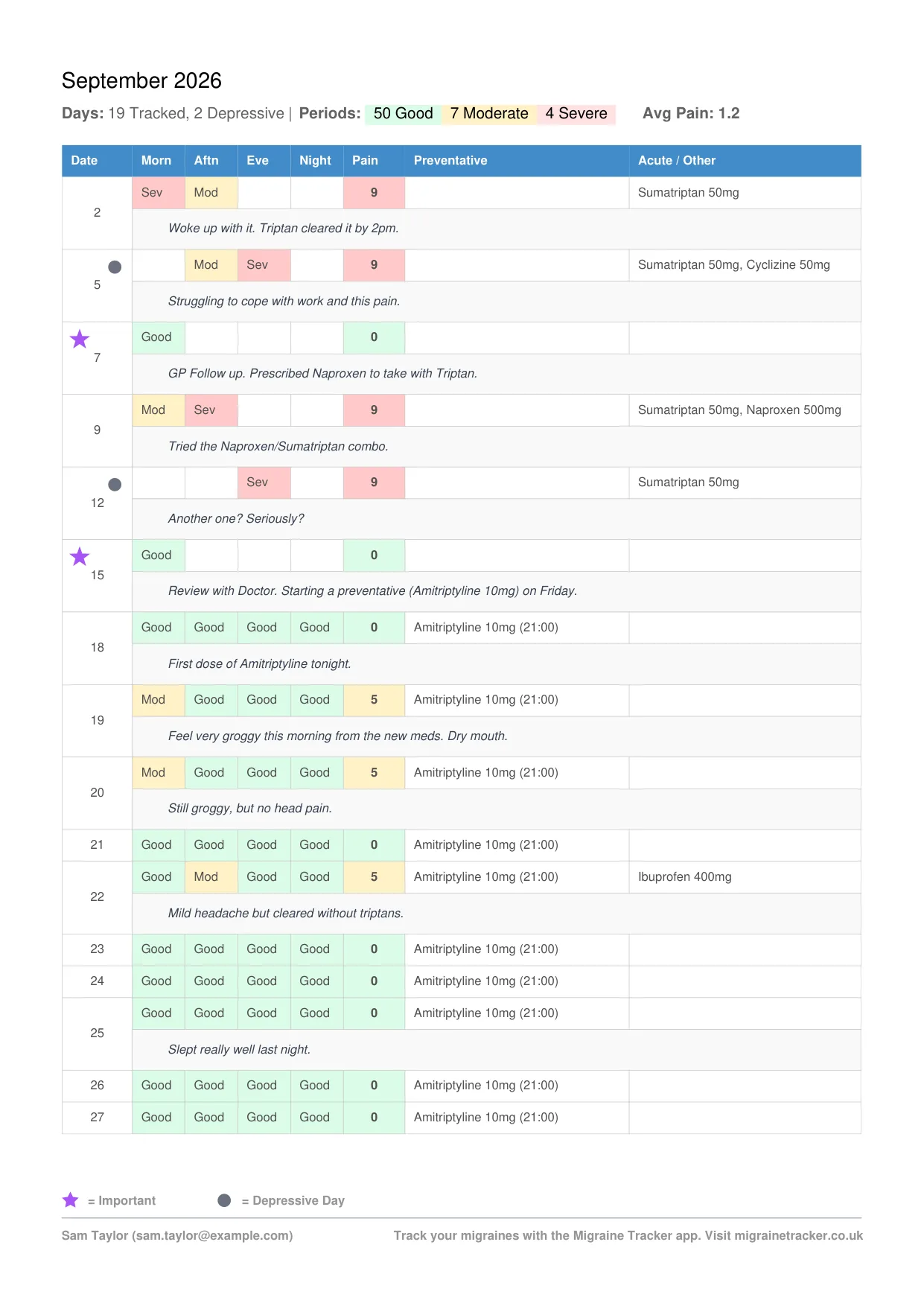
Pick a period and get a PDF your neurologist can read in a couple of minutes. It's generated on your device, not on a server.
- Summary: days tracked, bad days, average pain, pain breakdown and top medications by type.
- Preventatives taken as scheduled, and acute medication days per month with the medication-overuse threshold flagged.
- Trend charts, including when attacks happen and when medications changed.
- A day-by-day log for each month with doses, notes, depressive days and any missed preventative doses.
Every medication change on record
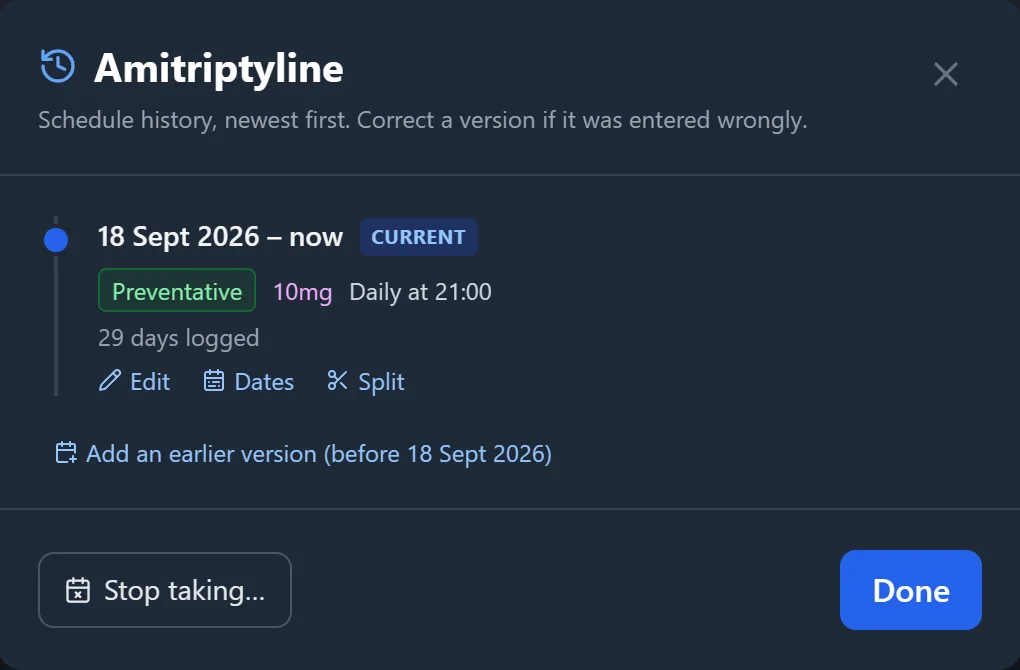
When your doctor asks when you started, changed or stopped something, the answer is a tap away.
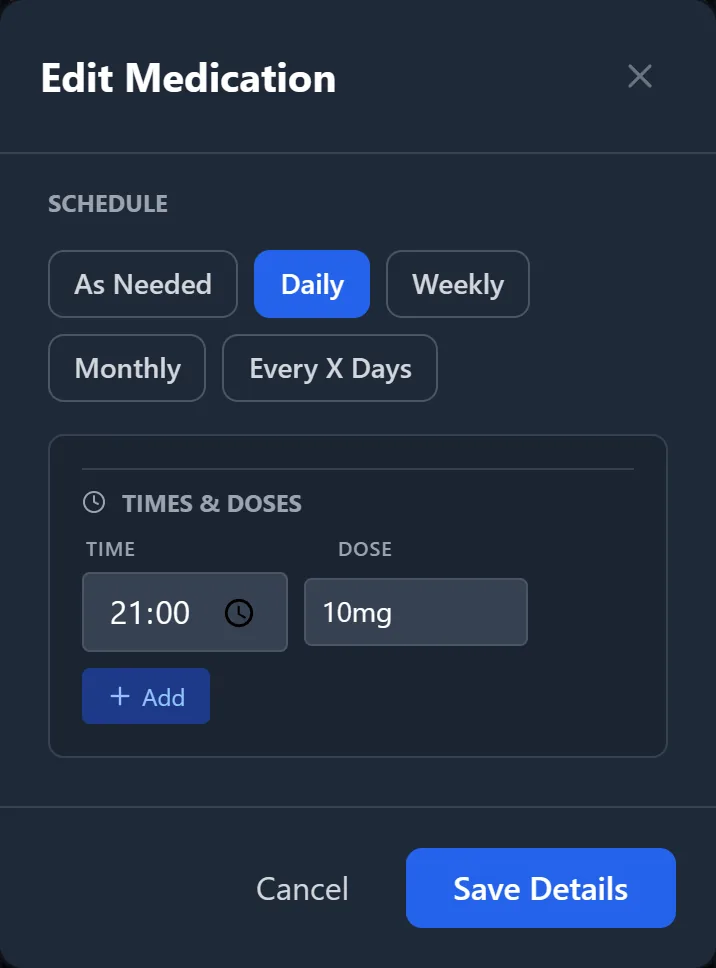
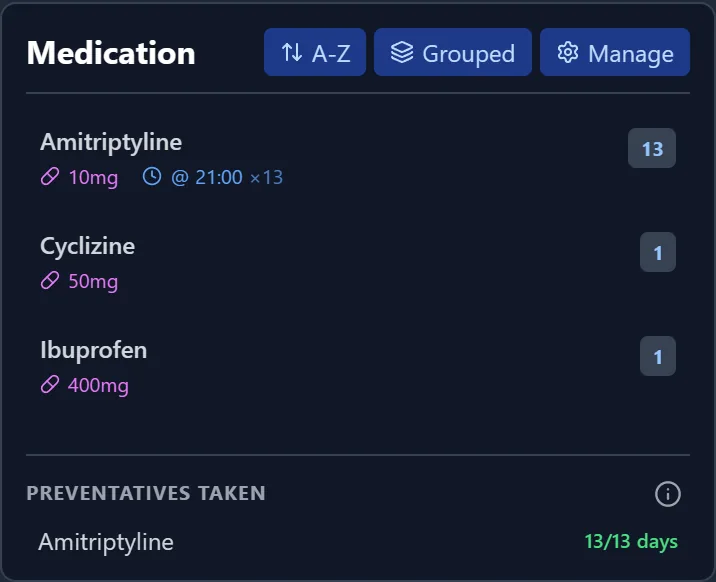
- Each medication keeps a timeline of its doses, schedules and groups.
- Stop taking a medication in one step, or correct a past entry with a preview of the logged days it affects and an Undo.
- "Preventatives taken" shows whether scheduled doses were logged, counting only the days you recorded.
Complete Health Management
From simple daily logging to complex neurological reports, we cover every angle of migraine management.
Doctor Reports Premium
The ultimate goal: turn months of messy history into a clean, concise PDF for your neurologist. Frequency, severity patterns, medication use and whether preventatives were taken, all in one place.
Comorbid Tracking
Mental health is health. Flag days as 'Depressive' or 'Important' (with a note) to help you and your doctor understand the link between stress, life events, mood and your physical pain.
Live Insights
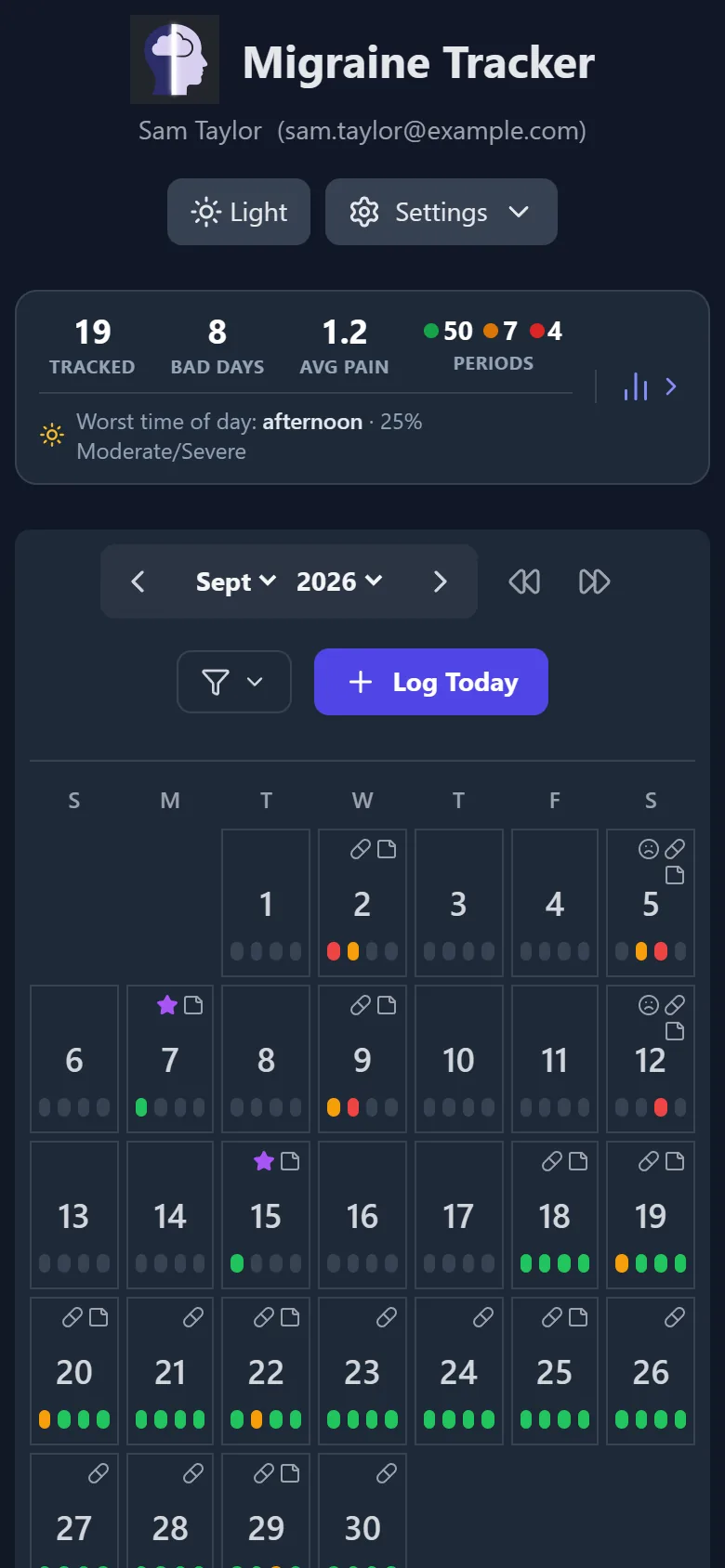
Days tracked, bad days, average pain, your Good / Moderate / Severe periods and your worst time of day, for the month on screen.
Preventatives Taken
See whether scheduled preventatives were taken as prescribed and which doses were missed, in the calendar and in your report.
Acute Medication Days
Count the days you needed painkillers or triptans, with dose counts for as-needed medications. Reports flag it when you reach the medication-overuse threshold.
Medication History
Every dose, schedule or group change is kept as a timeline, so you know exactly when something started, changed or stopped.
Smart Filtering
Find patterns. Filter your calendar to days with a specific medication or medication type, notes, depressive or important days.
Notes at a Glance
Each month's notes are listed under the calendar, and Manage Notes lets you edit a whole month's notes and flags in one list.
Gap Check
Missed a few days? The app asks whether they were good days, so a gap in your diary doesn't skew your stats.
Data Ownership Premium
Export to CSV for spreadsheets, or download a full JSON backup you can restore later. Free accounts can request a copy of their data by email.
Travel Ready
Your diary follows the timezone set in your profile, so your history doesn't shift days when you travel.
Easy on the Eyes
Light hurts. Switch to a low-glare dark theme with a single tap, and the app remembers it.
Screenshot Ready
Share safely. Hide your name and email on screen or on reports, separately, in your profile settings.
Works Offline
Log entries without a connection and they sync when you're back online. Install it from your browser on any phone or computer.
Free to track. Premium for your appointments.
Everything you need to keep a diary is free. Premium adds the reports, longer trends and exports.
Free
No card needed.
- Unlimited diary: pain by time of day, notes, depressive and important days
- Medications with schedules, dose counts and full change history
- Preventatives taken: see which scheduled doses were missed
- Monthly summary and calendar filters
- Stats & Trends for this month, the last 30 days and the last 3 months
- Works offline and installs from your browser
Premium
Everything in Free, plus:
- Doctor-ready PDF reports with trend charts
- Stats & Trends over 6 months, 1 year and all time, plus earlier periods
- Medication change markers on the trend charts
- Export to CSV (Excel) and a full JSON backup you can restore
Billed monthly or yearly (yearly costs less). Upgrade in the web app under Profile → Subscription, where you'll see the current price, and cancel any time from Manage Subscription & Billing.
The demo includes PDF reports and the full Stats & Trends, so you can try them before you subscribe. Free accounts can ask for a copy of their data by email at any time.
Need Help?
We are a small team dedicated to improving your migraine management.
For general feedback or bug reports, please use the form below. For specific account issues, email us directly.
Note: We do not offer phone support at this time.